Service Worker: Checking...
📖 Read Any Article with Gleaned
Add this bookmarklet to your browser, then click it on any article to start speed reading:
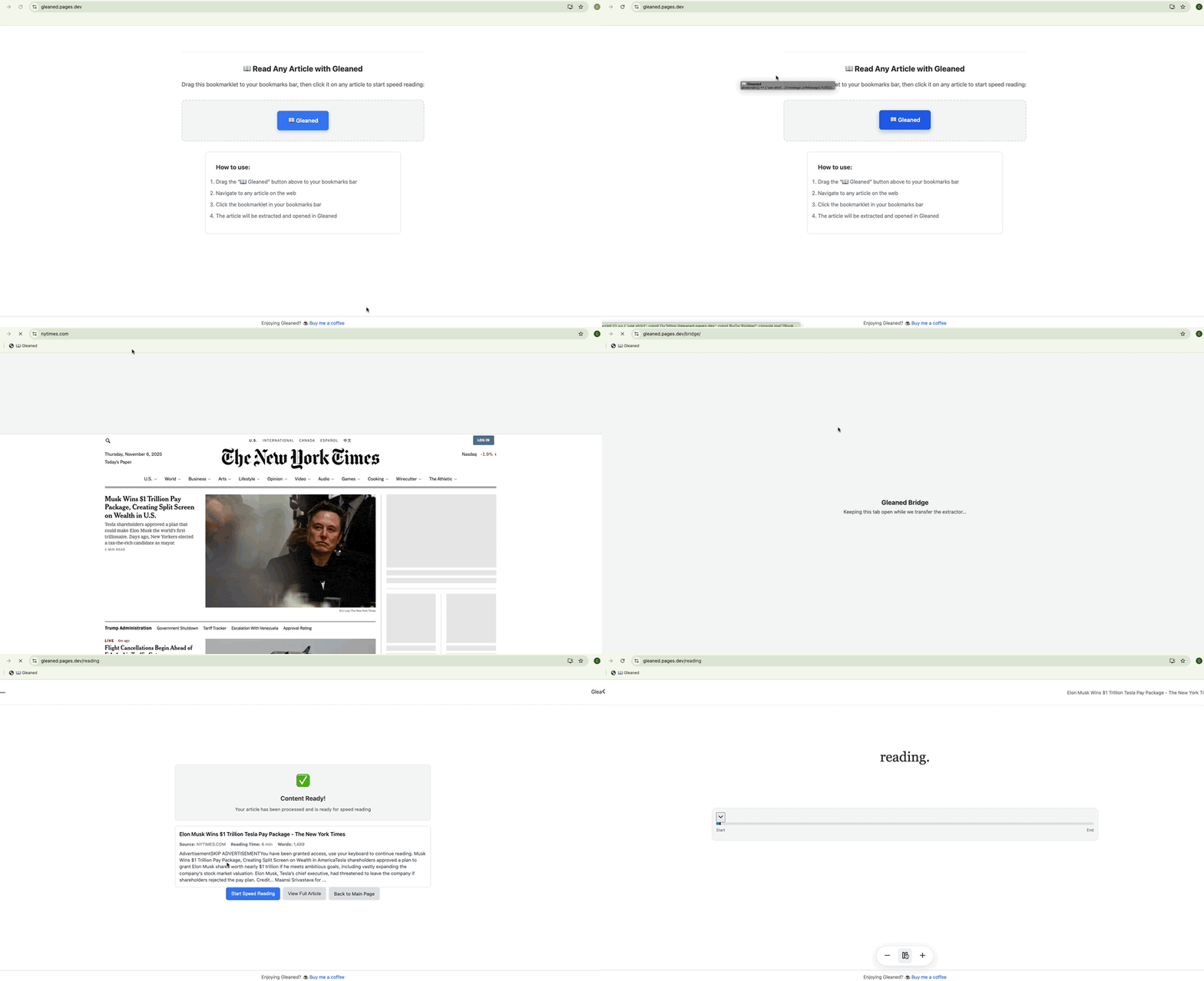
How to use (Desktop)
- Drag the "📖 Gleaned" button above to your bookmarks bar.
- When you’re on any article you want to speed read, click the bookmarklet.
How to use (iOS)
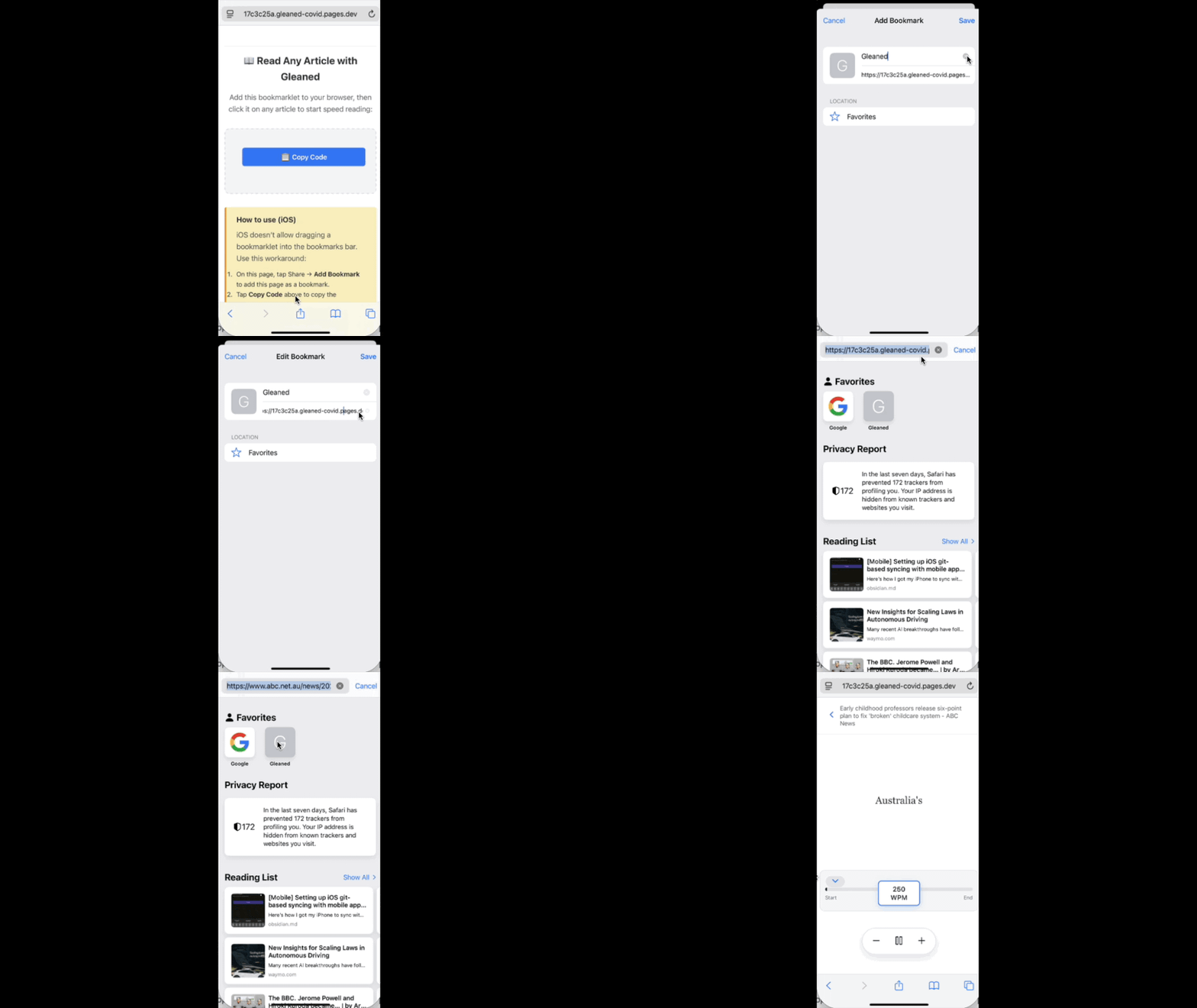
iOS doesn’t allow dragging a bookmarklet into the bookmarks bar. Use this workaround:
- On this page, tap Share → Add Bookmark to add this page as a bookmark.
- Tap Copy Code above to copy the bookmarklet code.
- Edit the bookmark you just created and paste the copied code into the URL field. Need help? Open the how‑to video.